
You train your BERT model on a beefy GPU cluster. It takes hours, maybe days, but eventually you have a trained model ready to deploy. The natural next step is spinning up a GPU instance for inference, right? After all, if GPUs crushed the training phase, they should excel at serving predictions.

Roblox discovered something that challenges conventional wisdom. Their team achieved 6x higher throughput per dollar on CPU compared to GPU for BERT inference, scaling to over 3,000 inferences per second on an Intel Xeon Scalable 36-core server. Meanwhile, a cost-equivalent Tesla V100 GPU maxed out at 500 inferences per second. They trained on GPUs but serve predictions on CPUs.
That was back in 2020. Surely newer hardware changed this pattern by now? Actually, the trend continues. In May 2024, a team successfully fine-tuned a Mistral AI 7B model on two Intel Xeon 4516Y+ processors, each with 24 cores and 48 threads. They matched their previous fine-tuning time on an Nvidia RTX 4090 while using 4-bit quantization. The CPU-fine-tuned model outperformed the GPU version in quality while maintaining acceptable inference speeds.
Modern CPUs with specialized AI instructions like Intel AMX and AVX-512 VNNI compete with GPUs beyond just inference. These chips now handle fine-tuning for certain models. The debate extends further than you might think. Using a 1-billion-parameter LLM deployed via llama.cpp on the iPhone 15 Pro, researchers demonstrated that CPUs can outperform GPUs for LLM inference on mobile devices under certain conditions.
Even on mobile devices, the GPU isn’t always the winner. This isn’t some weird edge case either.
Training and inference are fundamentally different computational problems. The hardware optimal for one can be entirely wrong for the other. Understanding why saves you thousands of dollars and helps you make better architectural decisions. You don’t need to learn these lessons the hard way by overspending on GPU infrastructure for a low-traffic inference service.
The Numbers Tell a Different Story
Training and inference have completely different performance profiles.
NVIDIA achieved a 53-minute training time for BERT-Large using 1,472 V100 GPUs on their DGX SuperPOD.
Training requires massive computational resources, huge batch sizes, and every optimization trick available. You need that parallel processing power!
Inference presents a different picture. Using NVIDIA T4 GPUs with TensorRT, BERT-Base inference took only 2.2 milliseconds, 17x faster than CPU-only platforms. This sounds like a clear GPU victory 🤔.
The twist comes when you examine real-world costs and utilization patterns. As of 2025, a modern GPU instance like an H100 costs around $2-4 per hour depending on provider and commitment level. A comparable high-end CPU instance runs about $0.30-0.50 per hour.
The price differential is substantial, but that’s only half the story. The question is whether you can actually utilize that expensive GPU capacity.
Consider a low-traffic scenario where you’re processing fewer than 500 requests per hour. A GPU at $3 per hour costs you $2,160 per month regardless of whether it’s busy or idle. A CPU instance at $0.40 per hour costs just $288 per month. If your traffic is bursty or sporadic, you’re paying for GPU capacity that sits unused most of the time. The GPU might be faster per request, but you’re burning money on idle cores and memory bandwidth you can’t utilize.
Most production ML services don’t run at constant maximum throughput. You have peak hours, off-hours, weekends, and holidays. Your Monday afternoon traffic differs dramatically from your Sunday 4am traffic. The GPU keeps costing you money regardless of utilization.
Training: The Throughput Problem
Training optimizes for throughput. You want to process as many samples as possible in the shortest time. Time is literally money during training since you’re paying for compute whether your model converges or not 💸. The training loop runs through these steps thousands or millions of times.
Forward pass computes predictions for a batch of samples. The model takes your input batch, processes it through all layers, and generates predictions. Loss calculation compares predictions to ground truth labels using a loss function like cross-entropy or mean squared error. Backward pass computes gradients via backpropgation, calculating how much each parameter contributed to the error. The optimizer step updates weights using those gradients, typically within algorithms like Adam or SGD.
You control the batch size and maximize it to fully utilize the GPU. Batch sizes of 32, 54, 128, or even 256 are common because larger batches mean better GPU utilization and faster training. GPUs excel here because they process those batches in parallel. All 10,000+ CUDA cores work simultaneously on different parts of the computation. You maximize hardware utilization.
A V100 has 5,120 CUDA cores and 640 Tensor cores. When training with large batches, you’re actually using most of those cores productively. The memory bandwidth gets saturated moving activations and gradients around. (Activations are the outputs from each layer that get passed to the next layer). During training, you constantly move these activations forward through the network and gradients backward.
During training, you’re also less sensitive to latency for individual samples. Whether a single sample takes 10ms or 50ms doesn’t matter much because you’re processing hundred or thousands at one. What matters is throughput measured in samples per second across the entire batch.
Inference: The Latency Problem
Inference optimizes for latency above everything else. You want to return a prediction for this specific request as fast as possible.

Users notice when responses take too long. Every additional 100ms of latency can reduce conversion rates or user engagement.
It’s forward pass only (no backward pass, no gradients)! You just run data through the model and return predictions. Batch size is typically 1 because users arrive one at a time expecting immediate responses. When someone uploads an image or types a search query, you can’t make them wait 30 seconds while you collect more requests to fill a batch of 32. You process each request immediately. Since the model weights don’t change during inference since you’re not training, you’d skip all the gradient computation and weight updates.
This is a fundamentally different computational profile from training. When your batch size is 1, you use maybe 5-10% of those 10,000 CUDA cores depending on the model architecture. The rest sit idle waiting for more work. Picture hiring a construction crew of 20 works to hammer a single nail. Sure, that nail gets hammered pretty fast, but you’re paying for 20 workers when you only need one.
During training, you feed the model a batch of 128 images simultaneously. The GPU processes all 128 in parallel, saturating its compute resources. Matrix multiplications happen across the entire batch at once. Memory bandwidth gets fully utilized transferring all those activations.
During inference, a user uploads one image. The GPU processes that one image while 99% of its cores wait around doing nothing. The matrix multiplications operate on tiny matrices that don’t even fill a single streaming multiprocessor, let alone the entire GPU.
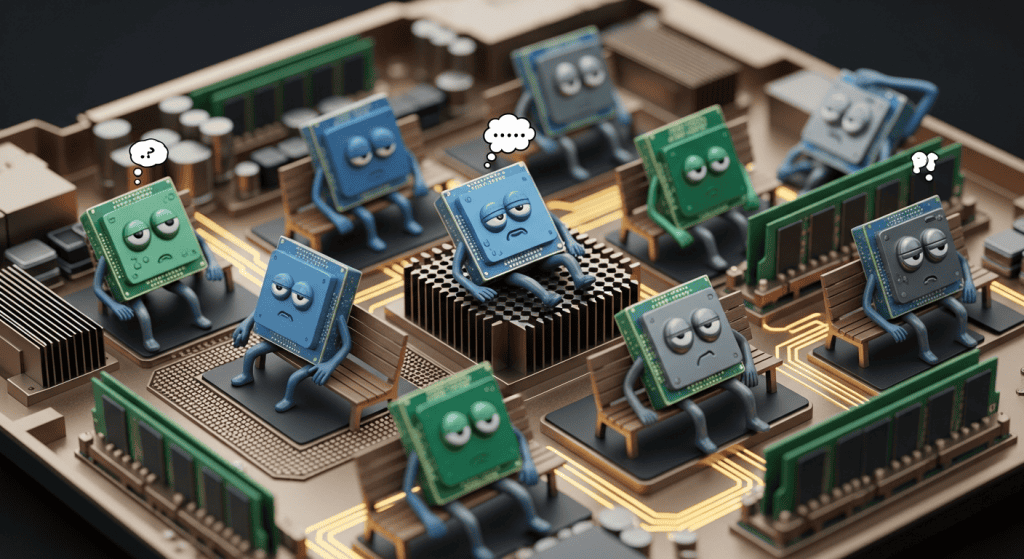
Memory bandwidth utilization also plummets during inference. Training saturates memory bandwidth moving large batches of activations between layers. Inference with batch size 1 barely touches the available memory bandwidth. You might only be using 10-20% of the GPU’s memory bandwidth capacity.
This is why the cost economics flip. You pay for 10,000 cores but use a fraction of them. You’re essentially paying for high memory bandwidth but barely touch it. The GPU isn’t doing anything wrong, you’re just using it for a workload it wasn’t designed to excel at.
Modern Hardware Doesn’t Change the Story
You might think newer hardware would change this dynamic. Better GPUs, faster CPUs, improved architectures. Surely the latest generation of hardware fixes the utilization problem.

Unfortunately, it hasn’t. The fundamental mismatch between batch size 1 inference and GPU architecture persists across hardware generations.
In a 2024 benchmarking study by Nassef, Tarabishi, and Alnasor, ResNet-50 and BERT models achieved inference times of approximately 19.1ms and 13.2ms respectively with throughput values measured at 52.4 inferences per second for ResNet-50 and 75.8 inferences per second using a standard configuration without GPU-specific optimization.
With GPU optimization using TensorRT on the latest generation GPUs, ResNet-50 achieved throughput at 432.6 inferences per second and BERT at 257.4 inferences per second. These are solid improvements over CPU baseline performance. GPU utilization notably increased for BERT with an average of 42.0%, while ResNet-50 remained relatively low at around 5.6%.
Even with 2024 hardware and TensorRT optimization specifically designed to squeeze maximum performance from GPUs, ResNet-50 only uses 5.6% of the GPU during inference. That means 94.4% of your expensive GPU hardware sits idle during inference waiting for more work that never comes. BERT does better at 42% utilization, but you still waste more than half the GPU capacity you pay for. That’s not an engineering failure; it’s the natural consequence of serving single requests on hardware designed for massive parallelism!
The problem gets worse when you look at newer, larger GPUs. An H100 has 16,896 CUDA cores and 528 Tensor cores. It’s designed to train massive models with huge batch sizes. Using an H100 for batch size 1 inference is even more wasteful than using a V100. You’re paying premium prices for massive parallelism you can’t utilize.
Some teams think buying the latest GPU will solve their inference problems. It doesn’t. You get faster individual times, but the utilization problem remains. A faster underutilized GPU is still an expensive underutilized GPU.
Batch Size Changes Everything
The batch size difference between training and inference is the single biggest factor in hardware selection. This isn’t speculation or theory. Real data shows how dramatically batch size impacts the GPU versus CPU decision across different model architectures and deployment scenarios.
For BERT-Large and ResNet50, GPU platforms perform better than CPU for small batch sizes (less than eight), but when batch size becomes large, the latency becomes much longer for GPUs. This seems backwards at first. Larger batches should be better for GPUs for throughput. They are better for throughput. However, the latency for each individual sample increases because the GPU must wait for the entire batch to complete before returning any results.
Think about it this way. Processing a batch of 64 images might take 50ms total on a GPU. That’s incredibly fast throughput at 1,280 images per second. However, if a user submits image number 33 in that batch, they wait the full 50ms for their results even though the GPU finished processing their specific image after 25ms. The extra latency from waiting for the other 63 images to finish. For interactive applications, this added latency kills user experience.
Here’s an example from a BERT inference benchmark that could provide value to your team’s deployment strategy. An 8 CPU core setup achieves 51.42 max inferences per hour at $0.198 per hour, costing $0.00385 per inference. With 16 CPU cores, you get 86.33 max inferences per hour at $0.396 per hour, costing $0.00459 per inference. Notice the cost per inference actually goes up with more cores because you’re not saturating the additional capacity. A single GPU crushes both with 1,384.61 max inferences per hour at $2.004 per hour, costing $0.00145 per inference.
The GPU dominates on raw throughput. Looking at just inference speed, there’s no contest. The GPU processes nearly 27x more inferences per hour than the 8-core CPU. Notice what happens when we calculate cost per inference though. The GPU has cheaper inferences at $0.00145, but only if you consistently perform 1,384 inferences per hour every single hour of every single day.
Most production services don’t maintain constant load. Your traffic varies by time of day, day of week, seasonal patterns, and marketing campaigns. You might serve 10,000 requests during peak hours and 100 requests during off-hours.
The Hidden Assumption
These benchmarks assume you run inference continuously at maximum capacity. This assumption rarely holds in production. Most production systems have variable traffic with peak hours versus off-hours. You serve predictions during business hours in your target geography. Traffic drops 90% or more outside those hours. Your GPU still costs $2.004 per hour at 4am serving 10 requests while running at 1% capacity.
Production systems also have bursty patterns with sudden spikes followed by quiet periods. A marketing email goes out and request volume jumps 10x for 30 minutes, then returns to baseline. Your GPU sits idle during baseline and maxes out during spikes. You can’t autoscale GPUs fast enough to handle burst efficiently due to varying cold start times.
Also, different features have different SLAs. Not all predictions need sub-10ms latency. Background batch processing can tolerate 100ms or even 1 second latency without impacting user experience. Premium real-time features might require 10ms latency.
During training, you control everything. You set the batch size to maximize GPU utilization. You run training 24/7 until the model converges. You know exactly how many samples you’ll process. You can optimize batch size, learning rate schedule, and other hyperparameters for maximum hardware efficiency.
During inference, your users control the traffic patterns. You might have 1000 requests per second at 2PM on Tuesday and 10 requests per second at 2AM on Sunday. That GPU still costs $2.004 per hour at 2AM while processing 10 requests per second and running at near-zero utilization. The CPU might cost $0.20 per hour and handle those 10 requests just fine. Over a month running 24/7, the GPU costs $1,442.88 while the CPU costs $144.
Avoid being the team that overprovisions GPU capacity by 2-3x their average load to handle peak traffic. CPU autoscaling works much better with smaller cold starts and more granular instance sizing.
When Batching Helps (and When It Doesn’t)
Some production systems can implement dynamic batching where requests queue and process in batches. This gets you closer to the training scenario and makes GPUs more economical.
Dynamic batching requires careful tuning though. You need to balance batch size, queue timeout, and latency requirements.
For example, if you process uploaded images for content moderation, you might queue 100 images and process them as a batch every 500ms. The total latency is 500ms queuing time + inference + overhead. For content moderation, users don’t expect instant results. A 600ms total latency is perfectly acceptable. The GPU now processes 100 images simultaneously, achieve much better utilization and cost efficiency.
Dynamic batching works well for offline batch processing, asynchronous APIs, non-interactive workloads, and when latency requirements are measured in hundreds of milliseconds rather than tens of milliseconds.
Interactive applications like chatbots or real-time recommendations can’t queue requests. Users expect immediate responses measured in tens of milliseconds. Every millisecond of added latency impacts user experience. You can’t tell a user to wait 500ms while you queue their request with 99 others. Batch size is effectively 1, and the GPU advantage evaporates.
Some teams implement speculative batching where you start processing requests immediately but opportunistically combine them with other concurrent requests. This reduces latency impact compared to waiting for a full batch. However, it adds implementation complexity and doesn’t work well for low-traffic services where concurrent requests are rare.
The fundamental issue is that training gives you control over batch size while inference gives your users control. When users arrive one at a time with random timing, you can’t easily batch their requests without adding latency.
“Edge” Case Scenarios
The batch size problem extends even to mobile and edge devices. This is where things get really interesting because the constraints are different and the trade-offs shift in unexpected ways.

Using a 1-billion-parameter LLM deployed via llama.cpp on the iPhone 15 Pro, researchers demonstrated that CPUs can outperform GPUs for LLM inference on mobile devices under certain conditions. The iPhone’s A17 Pro chip has a 6-core CPU (2 performance cores, 4 efficiency cores) and a 6-core GPU. For batch size 1 inference of smaller models, the CPU often wins both speed and power efficiency.
On a phone, you almost always run batch size 1. The user types a message, your model generates a response, one request at a time. Nobody runs batch inference on their phone. The iPhone’s GPU , while powerful for a mobile chip, faces the same underutilization problem as data center GPUs. Most GPU cores sit idle processing a single request. Meanwhile, the iPhone’s CPU with its efficiency cores and unified memory architecture can handle single requests efficiently without the overhead of GPU context switching.
Power consumption matters dramatically on mobile devices. Every milliwatt of power impacts battery life. GPUs consume more power even when underutilized because your power up the entire GPU unit for each request. CPUs can clock down individual cores and use efficiency cores for lighter workloads. For mobile ML inference, power per inference is often more important than raw speed.
Memory architecture also differs on mobile. The iPhone uses unified memory shared between CPU and GPU. However, GPU inference still requires moving model weights into GPU-optimized layouts and managing GPU memory explicitly. CPU inference can work directly with model weights in unified memory without explicit data movement. This eliminates memory copy overhead and reduces power consumption.
This is why CPU inference often wins on mobile. GPU inference drains battery because GPUs consume more power even when underutilized. CPU inference keeps apps more responsive since you avoid batching delays and GPU context switching overhead. CPU inference handles offline operation better since you process locally without needing cloud connectivity. These advantages make CPUs the better choice for most mobile and edge AI deployments.
Mobile and edge computing represent the extreme case of the batch size 1 problem. When you can’t batch requests and compute resources are constrained, CPUs often provide better performance per watt. The performance per watt metric matters more than raw performance on battery-powered devices.
Training Needs 3-4x More Memory
Memory is another critical difference between training and inference that dramatically impacts hardware selection. This isn’t just about whether your model fits in memory.
Training typically requires 3 to 4 times the memory needed for inference. During training, you store gradients for every parameter. These gradients are the same size as your model weights. You also store optimizer states. Finally, you store intermediate activations for backpropagation. These activations grow with your batch size and model depth.
A BERT-base model with 110M parameters requires approximately 440MB just for the weights in FP32 precision (110M parameters × 4 bytes per parameter). That’s the baseline memory requirement for inference.
During training with Adam optimizer, you need around 1.76GB total for the model alone. That breaks down as 440MB for weights, 440MB for gradients, and 880MB for optimizer states (two sets of statistics per parameter). Plus you need intermediate activations for backpropagation, which scale with your batch size.
For a batch size of 32 with sequence length 128, intermediate activations for BERT-base add roughly 2-3GB more. Your total memory requirement for training BERT-base with batch size 32 is around 4-5GB just for the model and training state. That doesn’t include framework overhead, memory fragmentation, or any other models or operations in your pipeline.
Inference only needs model weights and minimal activation storage for the forward pass. No gradients, no optimizer states, no large activation cache for backpropagation. The same BERT-base model needs roughly 440MB for inference in FP32, potentially less with quantization techniques. That’s about a 10x memory reduction from training to inference.
For example, a model that required 60GB of GPU memory for training might need only 15GB for inference. That 15GB fits comfortably in CPU RAM, which is much cheaper than GPU memory.
A server with 128GB of RAM costs significantly less than a GPU with 80GB of memory. You can rent a CPU server with 128GB RAM for around a dollar per hour compared to $3-6 per hour for a GPU with 80GB memory.
You can run multiple model replicas in CPU memory for the cost of a single GPU.
Running multiple replicas provides several benefits. Load balancing distributes requests across replicas for better throughput. High availability means if one replica crashes, others keep serving traffic.
Rolling updates let you deploy new model versions gradually. Version serving allows A/B testing different models simultaneously. All of this becomes practical when your per-replica memory requirements drop by 3-4x.
The Quantization Advantage
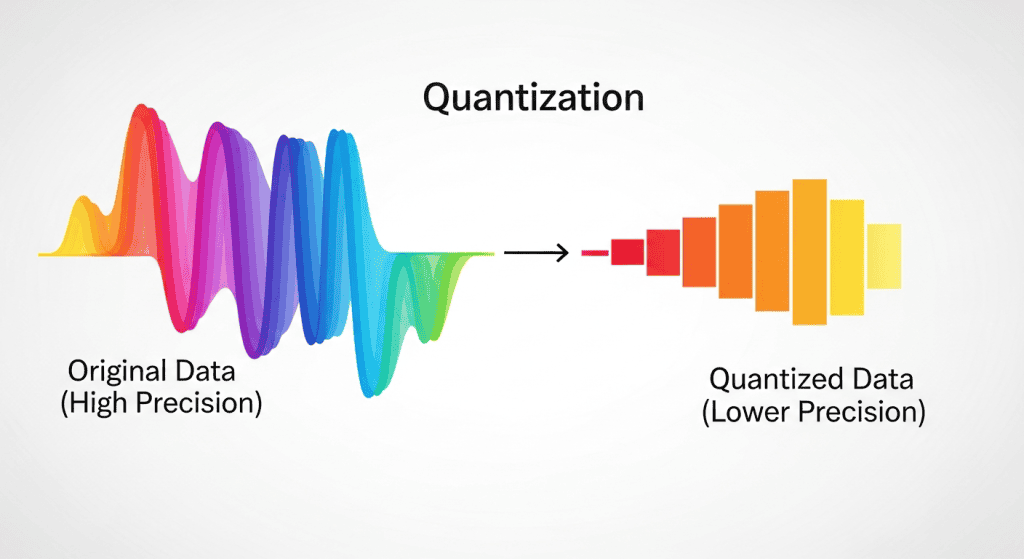
Inference benefits more from quantization than training does. Quantization is sort of like casting a float to an int. You’re reducing precision to save memory and speed up computation. Instead of storing each weight as a 32-bit float (FP32), you convert to 8-bit integers (INT8) or even 4-bit integers (INT4). Just like casting 3.7 to an int gives you 3, quantization loses some precision. The difference is that quantization uses clever scaling and rounding techniques to minimize accuracy loss.
You can quantize models to INT8 or even INT4 for inference with minimal accuracy loss, typically less than 1% degradation for many models. This reduces memory by 4-8x compared to FP32 while also speeding up computation on hardware with integer optimizations.
Training requires higher precision to accumulate gradients correctly. Gradient updates involve small numbers that accumulate over many training steps. Mixed precision training traditionally used FP16 for forward and backward passes with FP32 for weight updates to maintain training stability.
Newer hardware like NVIDIA Hopper GPUs support FP8 training through Transformer Engine, which uses FP8 for computation while maintaining FP32 master weights. However, even FP8 training is more constrained than inference quantization because you need to preserve numerical stability during gradient updates.
Inference doesn’t update weights, so you can aggressively quantize without worrying about gradient accumulation errors. The forward pass involves larger numbers that are less sensitive to quantization. Modern quantization techniques like post-training quantization or quantization-aware training allow INT8 inference with minimal accuracy loss.
A 7B parameter model like Llama 2 requires about 28GB in FP32 (7 billion parameters × 4 bytes per parameter). With INT8 quantization for inference, that drops to roughly 7GB (7 billion parameters × 1 byte per parameter). With INT4 quantization using techniques like GPTQ or AWQ, you can get down to 3.5GB. Suddenly a model that needed expensive GPU memory runs comfortably on CPU RAM.
INT4 quantization is particularly interesting because it achieves 8x memory reduction compared to FP32 while maintaining good accuracy for many models. You can run 7B parameter models on consumer hardware with 8GB RAM. Multiple researchers have fine-tuned and run inference with 7B and even 13B models on laptops using INT4 quantization.
The memory savings from quantization also enable running larger models on the same hardware. You might not be able to run a 13B parameter model in FP32 on a GPU with 40GB memory after accounting for activations and framework overhead. With INT4 quantization, that 13B model fits comfortably in 6-7GB, leaving plenty of room for activations.
Modern CPU Capabilities Surprise People
The CPUs available in 2024 are not the CPUs from 2018. Intel, AMD, and ARM have all added specialized AI instructions that accelerate neural network operations. These aren’t minor incremental improvements. They represent fundamental architectural changes specifically designed to accelerate the matrix operations that dominate neural network inference.
Intel’s Advanced Matrix Extensions (AMX) provide dedicated hardware for accelerating matrix multiplication using TMUL instructions. These aren’t just faster general-purpose instructions. AMX includes separate tile registers specifically designed for matrix operations. A single TMUL instruction can perform an 8×16 matrix multiplication, dramatically reducing the instruction count for neural network operations.
Intel’s AVX-512 VNNI (Vector Neural Network Instructions) speeds up INT8 operations by combining multiply and add steps into a single instruction. Instead of separate multiply and add instructions, VNNI performs both in a single instruction. This doubles throughput for INT8 inference workloads. Combined with INT8 quantization, AVX-512 VNNI provides 4-8x speedup over baseline FP32 CPU inference.
AMD’s VNNI instructions provide similar INT8 acceleration on their latest EPYC processors. ARM’s Scalable Vector Extension (SVE) and SVE2 improve SIMD performance for neural network operations.
Apple’s M-series chips include dedicated neural engines for accelerating ML workloads. These are all hardware-level improvements specifically targeting ML inference.
These aren’t marketing buzzwords or theoretical improvements. They provide measurable, substantial performance improvements in production workloads. The Mistral AI 7B fine-tuning example shows what modern CPUs can do in practice.
In one case study, a team fine-tuned Mistral 7B on Intel Xeon 4516Y+ processors (Emerald Rapids) in comparable time to an RTX 4090. These are server CPUs from 2023 with 24 cores, 48 threads, and AMX support. The CPU-fine-tuned model outperformed the GPU version in quality while maintaining acceptable inference times. This wasn’t some carefully cherry-picked example. It was a real production workload with real models doing actual useful work.
This happened in May 2024, which is pretty recent. Modern server CPUs with these AI instructions compete with mid-range GPUs for inference workloads. They sometimes even compete for fine-tuning tasks, particularly for smaller models and when you can leverage large batch sizes across CPU cores.
The performance gap between CPUs and GPUs for ML workloads has narrowed considerably for smaller models. In 2018, GPUs were 10-50x faster than CPUs for ML inference depending on the model. In 2024 with optimized software and modern CPU instructions, that gap is often 2-5x for small to medium models (under 1B parameters) at batch size 1 in production. Larger models still see bigger gaps. When you factor in cost, that 2-5x speedup doesn’t justify paying 10-15x more for GPU infrastructure.
Software Optimization Matters
CPU inference has received massive optimization attention over the past few years. ONNX Runtime, OpenVINO, llama.cpp, and other frameworks squeeze impressive performance from CPUs through graph optimization, kernel fusion, quantization, and intelligent use of CPU instructions.
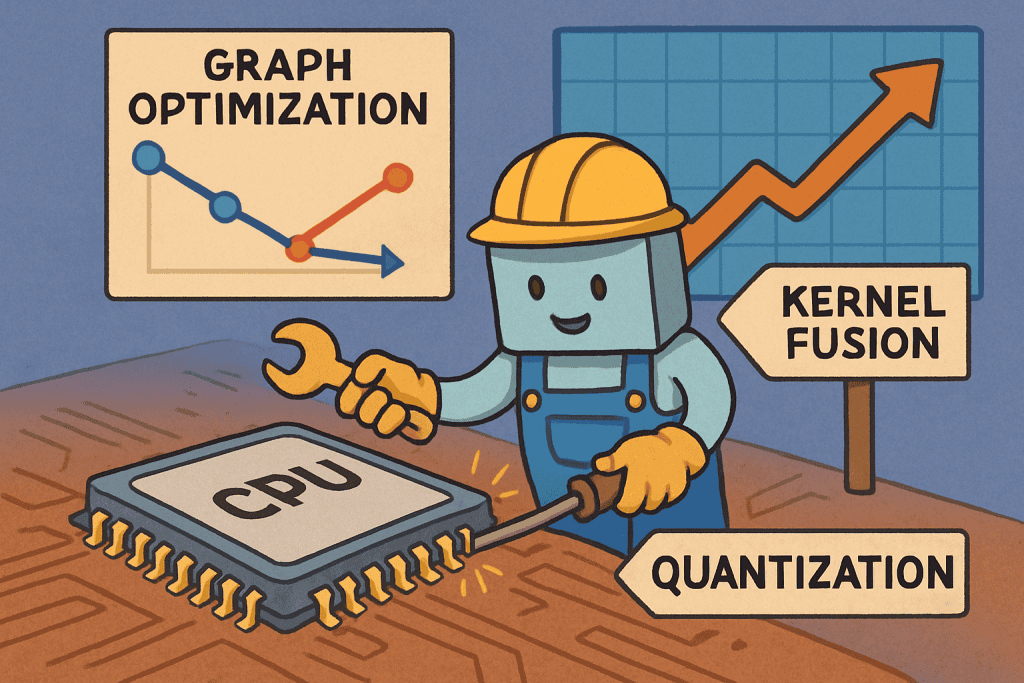
ONNX Runtime achieves up to 17x speedup over naive PyTorch CPU inference for some models. The same model on the same CPU hardware runs 17x faster with proper optimization through graph optimizations, kernel fusion, memory layout improvements, and quantization support.
Intel’s OpenVINO provides another 2-3x speedup on top of ONNX Runtime for Intel CPUs through platform-specific optimizations. OpenVINO knows exactly which instructions and features are available on Intel CPUs and uses them aggressively. It includes optimized kernels for AVX-512, VNNI, and AMX instructions. For inference on Intel server CPUs, OpenVINO often provides the best performance.
llama.cpp demonstrates what’s possible with aggressive CPU optimization for LLMs. It runs Llama models efficiently on CPUs through careful memory management, quantization, and SIMD optimization. People run 7B and 13B parameter models on laptops with acceptable latency for interactive use. This wasn’t achievable two years ago.
These optimization frameworks level the playing field. A GPU running PyTorch might only be 2-3x faster than a CPU running ONNX Runtime with INT8 quantization for certain models. When you factor in cost differences (CPU instances often cost 5-10x less than comparable GPU instances), that 2-3x speedup doesn’t justify the premium.
GPU inference has also received optimization attention. TensorRT can provide up to 7x speedup over PyTorch inference on GPUs through similar optimization techniques. TensorRT fuses layers, optimizes memory layouts, uses mixed precision, and generates optimized CUDA kernels for your specific model and GPU architecture.
The difference is that GPU starting points were already strong, so optimizations give incremental improvements on top of already good performance. CPU optimizations are closing a larger gap from a weaker starting point. The relative improvement for CPU optimization is larger because there was more low-hanging fruit to optimize.
Framework Choice Can Flip the Decision
The software stack matters as much as hardware selection. Same model, same hardware, different framework can mean 7x performance difference. TensorRT provides up to 7x speedup over PyTorch inference. ONNX Runtime shows 10-17x faster performance than naive PyTorch on CPUs.
PyTorch is excellent for training. The dynamic computation graph makes experimentation easy. For production inference though, PyTorch is rarely optimal. The flexibility that makes training easy becomes overhead during inference.
Converting your PyTorch model to ONNX or TensorRT should be standard practice. You export using torch.onnx.export, load in ONNX Runtime or convert to TensorRT. The process takes an hour or less for standard architectures. Custom CUDA kernels or dynamic shapes can complicate things, but most production models use standard layers.
The vLLM Example
Recent developments strongly favor inference optimization. The industry shifted focus from “training bigger models” to “serving efficiently” as organizations realize inference costs dominate long-term Total Cost of Ownership.
vLLM v0.6.0 improved throughput by 2.7x and latency by 5x on Llama-8B compared to its previous version. Just pure software optimization using the same hardware. No model changes, no quantization, just better inference engine implementation. These improvements came from PagedAttention for memory management, continuous batching for request handling, optimized CUDA kernels, and better scheduling.
The techniques vLLM introduced are becoming standard practice for LLM inference. PagedAttention reduces memory waste by paging attention KV caches similar to OS virtual memory. Continuous batching allows new requests to join ongoing batches dynamically, improving GPU utilization without adding latency. These innovations apply broadly across LLM serving, not just vLLM.
2024 sees massive investment in inference optimization across the industry. Companies spend millions training models but spend years serving predictions to users. A 10% improvement in inference efficiency saves more money than a 10% improvement in training speed for most organizations at scale. The math strongly favors optimizing inference over training for operational costs.
Framework improvements continue shipping regularly. What’s slow today might be fast in six months with a software update. This volatility makes hardware decisions harder but also more important. Pick hardware that benefits from ongoing software optimization efforts. CPUs benefit from ONNX Runtime, OpenVINO, and llama.cpp improvements. GPUs benefit from TensorRT, vLLM, and TGI updates.
Hidden Costs Add Up Fast
GPU instance pricing looks straightforward. You see $3.06 per hour for a V100 or $5.00 per hour for an A100 and think you understand the cost. Several hidden costs don’t show up in that hourly rate but can double or triple your effective costs over time.
Underutilization hits hardest for GPU inference. You pay for 100% of the GPU while using 5-42% depending on the model and batch size.
Cold start times matter for autoscaling. GPUs take 30-60 seconds to initialize compared to 5-10 seconds for CPUs. Container initialization, CUDA driver loading, and GPU memory allocation all take time. This forces you to keep extra GPU capacity running to handle traffic spikes, increasing idle costs.
Infrastructure complexity costs developer time. GPU deployments require specialized Docker images with CUDA, cuDNN, and driver version matching. Driver updates break things randomly. Different GPUs need different CUDA versions. You need specialized monitoring for GPU metrics. I spent an entire day debugging a CUDA driver version mismatch that caused intermittent inference failures.
Spot instance availability and pricing vary dramatically. You might get 70% discounts on spot CPU instances but only 30-40% discounts on spot GPU instances. Spot GPU instances get interrupted more frequently due to lower supply. Running production services on spot GPUs requires handling frequent interruptions gracefully, which adds engineering complexity.
Over a year, hidden costs can add 100-200% to the base GPU instance price while adding only 20-30% for CPUs. A $3.06 per hour GPU might effectively cost $6-9 per hour when accounting for underutilization, redundancy for high availability, and spot interruptions. Meanwhile, a $0.20 per hour CPU might cost $0.24-0.26 per hour all-in.
When GPUs Still Make Sense
GPUs aren’t always wrong for inference. Several scenarios strongly favor GPU deployment.
High-throughput services with consistent traffic patterns benefit from GPUs. If you serve 10,000+ requests per second continuously with minimal variation, GPU batch processing shines. Your utilization stays high at 70-90%, costs per inference stay low, and latency remains predictable. You fully utilize the parallel processing capacity you’re paying for.
Large models that don’t fit in CPU memory require GPUs. A 70B parameter model needs approximately 140GB in FP32 or 35GB with INT4 quantization. While you can distribute across multiple CPU servers with model parallelism, this adds significant complexity. Splitting a large model across 4 GPUs with high-speed NVLink connections is much simpler than coordinating distributed inference across 4 separate CPU servers. NVLink provides 300-600 GB/s bandwidth between GPUs on the same machine, while network connections between CPU servers typically max out at 100 Gb/s.
Latency-critical applications with strict SLA requirements might need GPUs. If you must guarantee sub-10ms latency at the 99th percentile under all conditions, GPUs provide more consistent performance. CPU performance varies more with system load, cache thrashing, and other processes competing for resources. GPUs offer more predictable latency when properly configured because they isolate workloads better. High-frequency trading ML models and real-time bidding systems need consistent single-digit millisecond latency at high percentiles. The cost premium for GPUs is worth it when latency directly impacts revenue.
Real-time applications like video processing, autonomous vehicles, or live transcription benefit from GPU parallel processing. These workloads often have natural batch sizes greater than 1, playing to GPU strengths. Video processing operates on frames where you can easily batch 16-32 frames. Live transcription batches audio chunks. The parallel nature of these workloads aligns with GPU architecture better than sequential CPU processing.
Models with custom GPU kernels or architectures specifically optimized for GPU execution make migrating to CPU difficult. If you built your model around custom CUDA kernels or tensor core optimizations, staying on GPU makes sense unless you’re willing to rewrite the model. The engineering cost of migration might exceed the operational cost savings, especially for complex custom operations.
Computer vision workloads often favor GPUs more than NLP workloads. Image processing benefits from GPU parallel processing naturally through convolutions operating on spatial dimensions. A YOLOv8 object detection model probably belongs on GPU even for inference because the architecture is built around efficient convolution operations that map well to GPU parallelism. CNNs were designed with GPU architecture in mind.
Real-World Decision Framework
References
2020 Roblox Study:
- “How We Scaled Bert To Serve 1+ Billion Daily Requests on CPUs”
- https://blog.roblox.com/2020/05/scaled-bert-serve-1-billion-daily-requests-cpus/
2024 CPU Fine-tuning:
- Nanni, C. (May 2024). “GPU vs CPU: CPU is a better choice for LLM inference and fine-tuning”
- Intel Xeon 4516Y+ vs RTX 4090 comparison
2024 Benchmarking Study:
- Nassef, L., Tarabishi, R.A., Alnasor, S.A. (2024). “Benchmarking NLP and Computer Vision Models on Domain-Specific Architectures: Standard vs. TensorRT-Optimized Performance”
- Journal of Electrical Systems 20-11s (2024): 736-752
- https://journal.esrgroups.org/jes/article/download/7272/5009/13349
2025 Mobile Inference:
- Zhang et al. (May 2025). “Challenging GPU Dominance: When CPUs Outperform for On-Device LLM Inference”
- iPhone 15 Pro llama.cpp study
- https://arxiv.org/html/2505.06461v1
NVIDIA BERT Training:
- NVIDIA Technical Blog (August 2019). “NVIDIA Slashes BERT Training and Inference Times”
- 53-minute training on 1,472 V100 GPUs
- https://developer.nvidia.com/blog/nvidia-slashes-bert-training-and-inference-times/